
Google just changed how you analyze SEO data.
Inside Google Search Console, you can now type what you want to see in plain English. The system builds the Performance report for you.
No more clicking filters for five minutes. No more guessing which comparison to run. You ask. It configures.
TLDR / Key Summary
- Google Search Console AI lets you build reports using natural language.
- It automatically selects metrics like clicks, impressions, CTR, and average position.
- It applies filters such as device, country, page, and date range.
- It creates comparisons without manual setup.
- It is currently limited to the Performance report for Search results.
- It lowers the barrier to real SEO analysis.
- If you use it correctly, you will find growth opportunities faster.
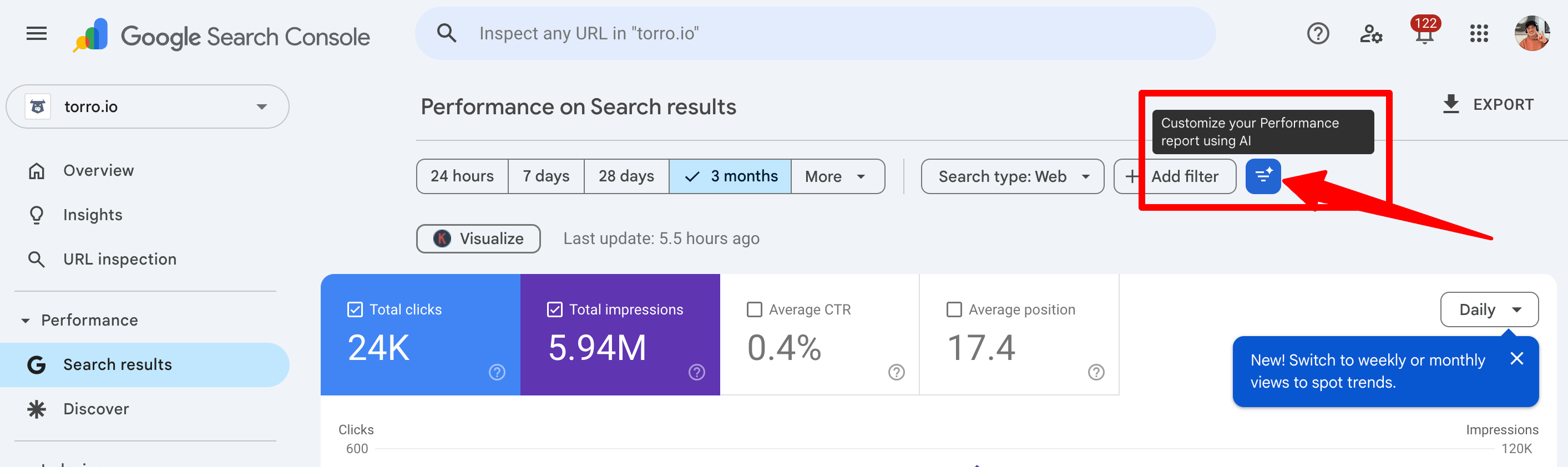
What Is Google Search Console AI?
Google Search Console AI is an AI-powered configuration tool inside the Performance report.
Instead of manually selecting date ranges, comparisons, queries, pages, devices, and countries, you describe what you want to analyze.
Example prompt:
- Top queries losing CTR year over year
The AI can then:
- Select the right comparison timeframe
- Add CTR automatically
- Pull clicks and impressions
- Apply filters if needed
- Structure the table for you
It moves analysis from manual filtering to intent-based prompts.
How It Works
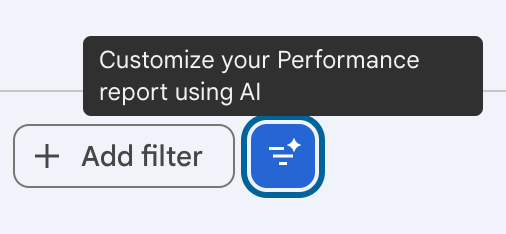
This feature lives inside the Performance report under Search results.
You will see a prompt field where you can type a request. The AI interprets the request and configures:
- Metrics
- Filters
- Date ranges
- Comparisons
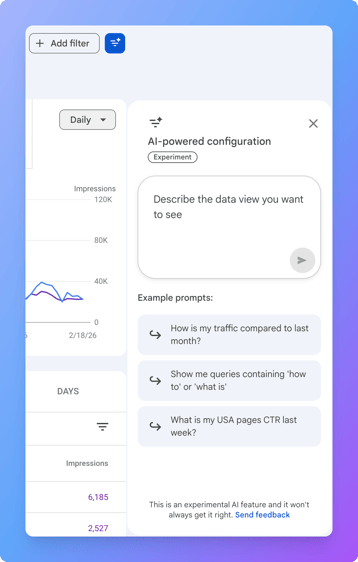
Example Prompts You Can Use
- Show pages with declining clicks over the last 3 months
- Compare mobile vs desktop CTR for the past 28 days
- Top queries with high impressions but low CTR
- Queries ranking positions 4 to 10 with growing impressions
- Pages that lost position year over year
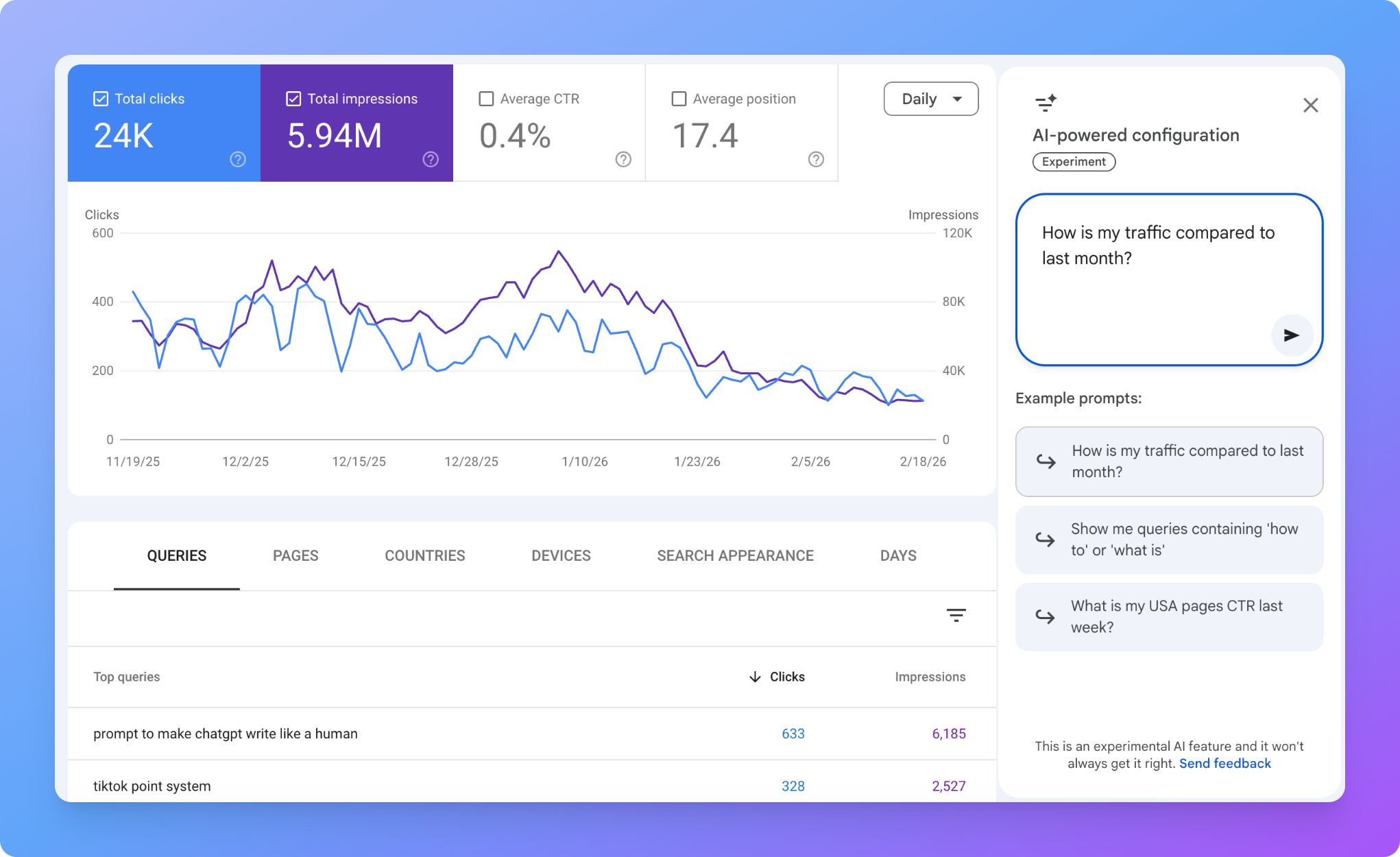
Current Limitations
Right now, this AI configuration works only inside the Performance report for Search results data.
It does not yet work for Discover or Google News.
Also, like any AI tool, outputs need validation. Treat it like a co-pilot, not a replacement.
Why This Matters for Organic Growth
Most people do not analyze Search Console deeply. Even many SEOs barely scratch the surface.
The reason is simple. Manual filtering is tedious. When analysis is hard, people avoid it. When it is easy, they explore.
This feature reduces friction. And friction reduction leads to insight. Insight leads to growth.
How to Use It Strategically to Grow
Now let’s move from what it is to how to use it.
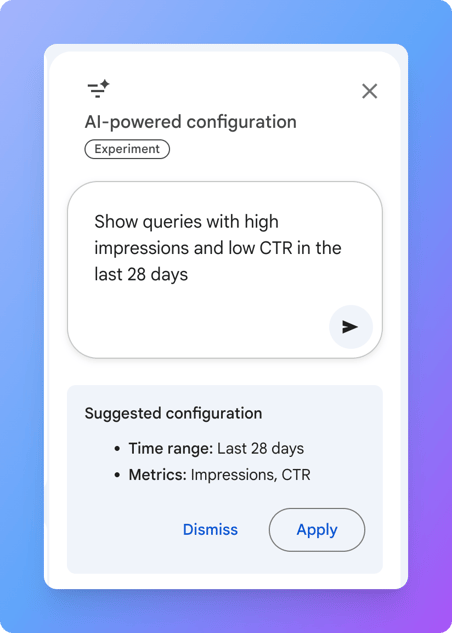
1) Find Easy CTR Wins
Prompt: Show queries with high impressions and low CTR in the last 28 days
Why this works: High impressions mean Google is showing your page a lot. Low CTR means people are not choosing you.
That is usually a title tag and meta description problem. Fixing CTR can produce faster gains than waiting for rankings to move.
2) Identify Content Decay
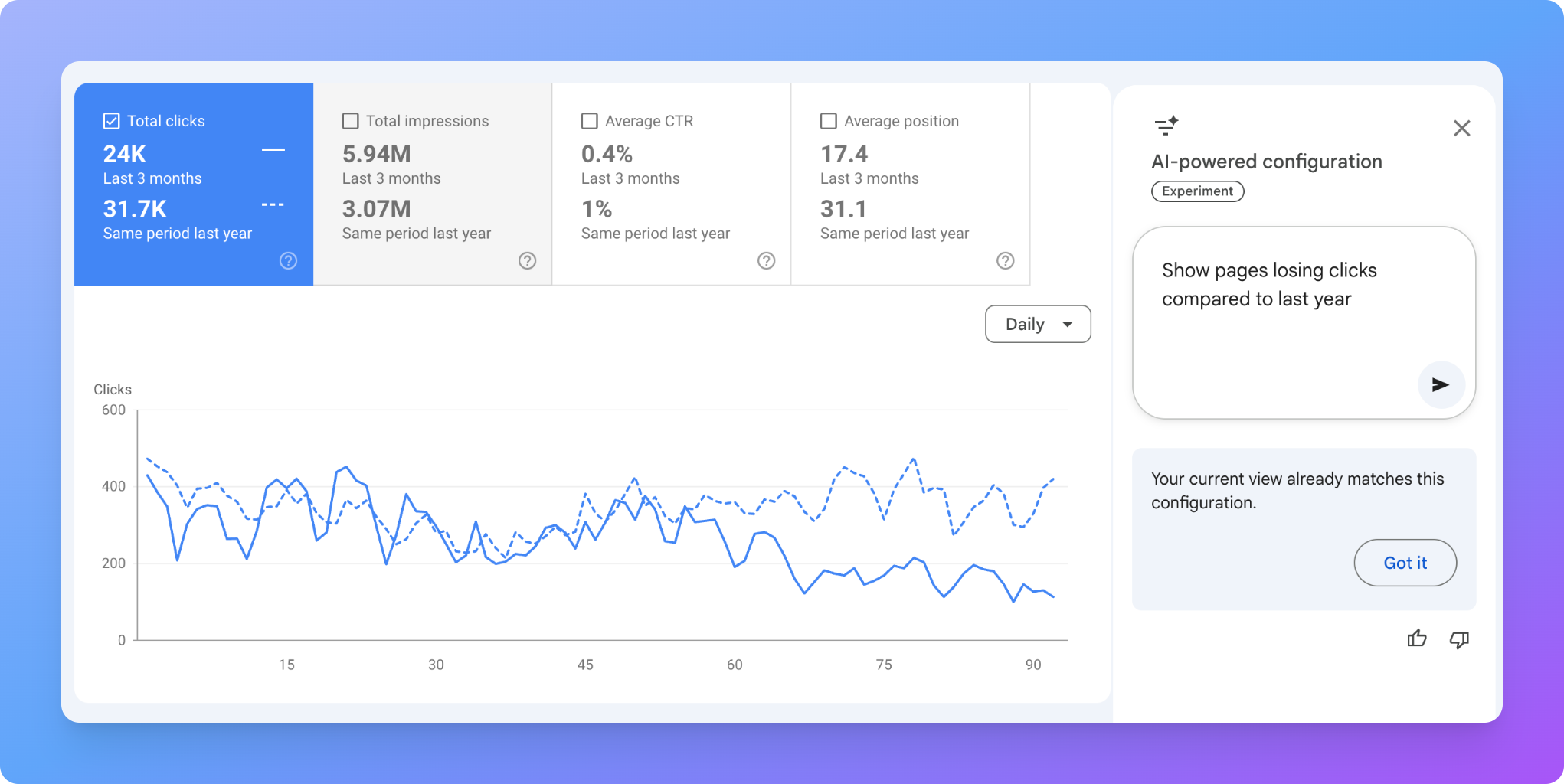
Prompt: Show pages losing clicks compared to last year
Content decay is common. Traffic drops slowly and no one notices until it hurts.
This prompt surfaces pages that are losing:
- Clicks
- Impressions
- Average position
Once you find a decaying page, your playbook is usually:
- Update the content (facts, examples, screenshots, recommendations)
- Add internal links from newer pages
- Expand the section that matches the query intent
- Improve the snippet (title and meta description)
3) Spot Page 2 Opportunities
Prompt: Queries ranking positions 5 to 15 with high impressions
This is where growth lives. You are close to page one.
Typical moves that help push these over the line:
- Add internal links using descriptive anchor text
- Strengthen the page intro to match intent fast
- Add missing sections (FAQs, comparisons, use cases)
- Improve on-page keyword coverage naturally
- Add relevant schema where it fits
4) Detect Device Issues
Prompt: Compare mobile and desktop CTR over the last 3 months
If mobile CTR is lower, check:
- Title truncation on mobile
- Page speed and Core Web Vitals
- Layout shifts or popups that hurt usability
- Whether the page answers the query fast on a small screen
5) Discover Intent Shifts
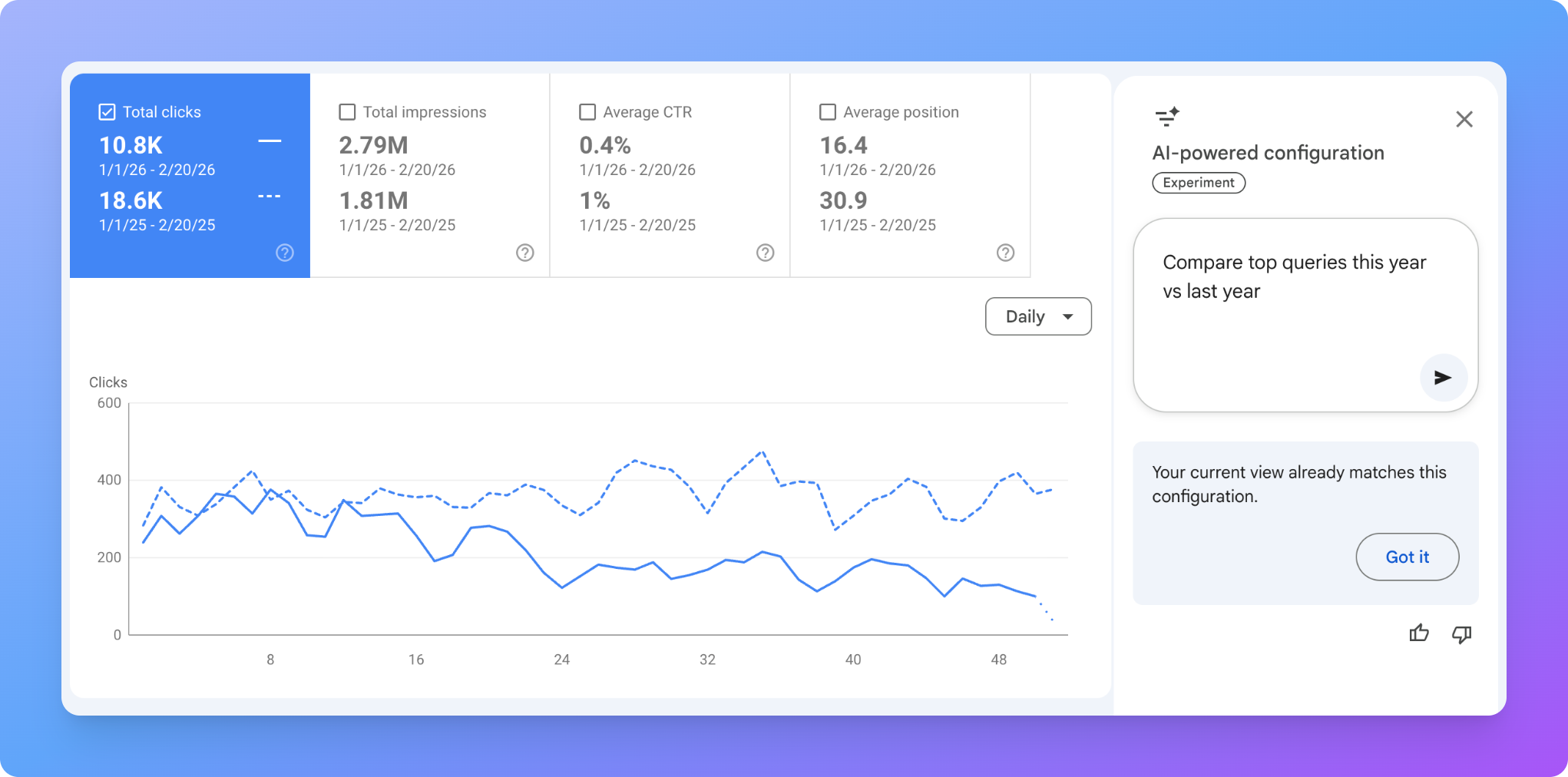
Prompt: Compare top queries this year vs last year
Search behavior changes. Language changes. Competitors change what they publish. Google changes how it ranks.
This view can reveal:
- New rising queries that you should build content for
- Declining keywords that need a refresh or reposition
- New subtopics worth adding to your pillar pages
How This Changes SEO Workflows
Before, you had to know what to click. Now, you can think in questions.
SEO is not about filters. It is about asking better questions and acting on the answers.
The faster you can test hypotheses, the faster you grow.
Best Practices When Using the AI Feature
- Be specific in your prompts. Vague inputs create generic outputs.
- Validate what it built. Double check date ranges, filters, and comparisons.
- Use it for exploration first. Then refine manually if you want to go deeper.
- Document insights. Save the findings so they turn into tasks and updates.
- Pair it with strategy. This surfaces data. It does not build authority for you.
What This Really Means
This lowers the barrier to advanced analysis. For experienced SEOs, it speeds up workflows. For business owners, it makes analysis accessible. For teams, it encourages curiosity.
The ones who learn to prompt their SEO data will outperform the ones who scroll passively through reports.
Final Thought
Google just made SEO data easier to interrogate.
Most people will use it casually. The ones who use it strategically will win.
Open Search Console. Start asking real questions. Then turn insights into execution. That is how organic growth compounds.
If you need help with SEO services, don't hesitate to reach out!