
ChatGPT does not just recommend brands from memory.
When browsing is enabled, it performs live web searches. If you can see what it searched for, you can create content targeting that exact language and increase your chances of being cited in AI answers.
TLDR / Key Summary
- ChatGPT performs live web searches when browsing is enabled.
- You can use browser DevTools to see the exact queries it searched.
- Look for a fetch request in the Network tab.
- Open that request and search the Response for the word queries.
- The query text you find is what ChatGPT actually searched for.
- Create content targeting that language to improve AI visibility.
- Optimize titles, headers, and comparison sections around that query.

Why This Matters for SEO and AI Visibility
If you care about showing up in ChatGPT recommendations, AI Overviews, or other large language model answers, here is the reality. When browsing is enabled, ChatGPT searches the web. That means your brand can be recommended based on what it finds online, not what it knows from training data.
If you can see what ChatGPT actually searched for, you can:
- Create content targeting those exact phrases
- Write headlines that match real AI search language
- Build pages that are easier for AI to cite
- Improve your chances of being surfaced for buyer intent searches
Step by Step: How to See What ChatGPT Searched
You will use your browser developer tools to inspect the network request ChatGPT makes when it performs a web search. This works best when ChatGPT browsing is enabled.

Step 1: Ask a Question That Triggers a Web Search
Type a prompt that is likely to require live information. Examples:
- Best CRM for small businesses
- Top project management tools 2026
- Best payroll software for startups
In my screenshots, I'm prompting about "The Cost of Personal Trainers in Boston."
You should see ChatGPT indicate that it is searching or browsing.
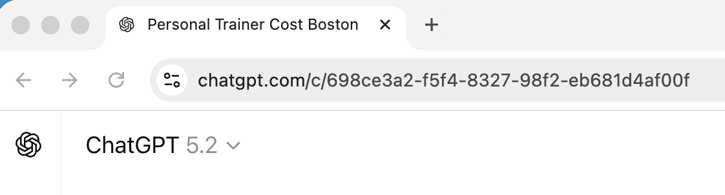
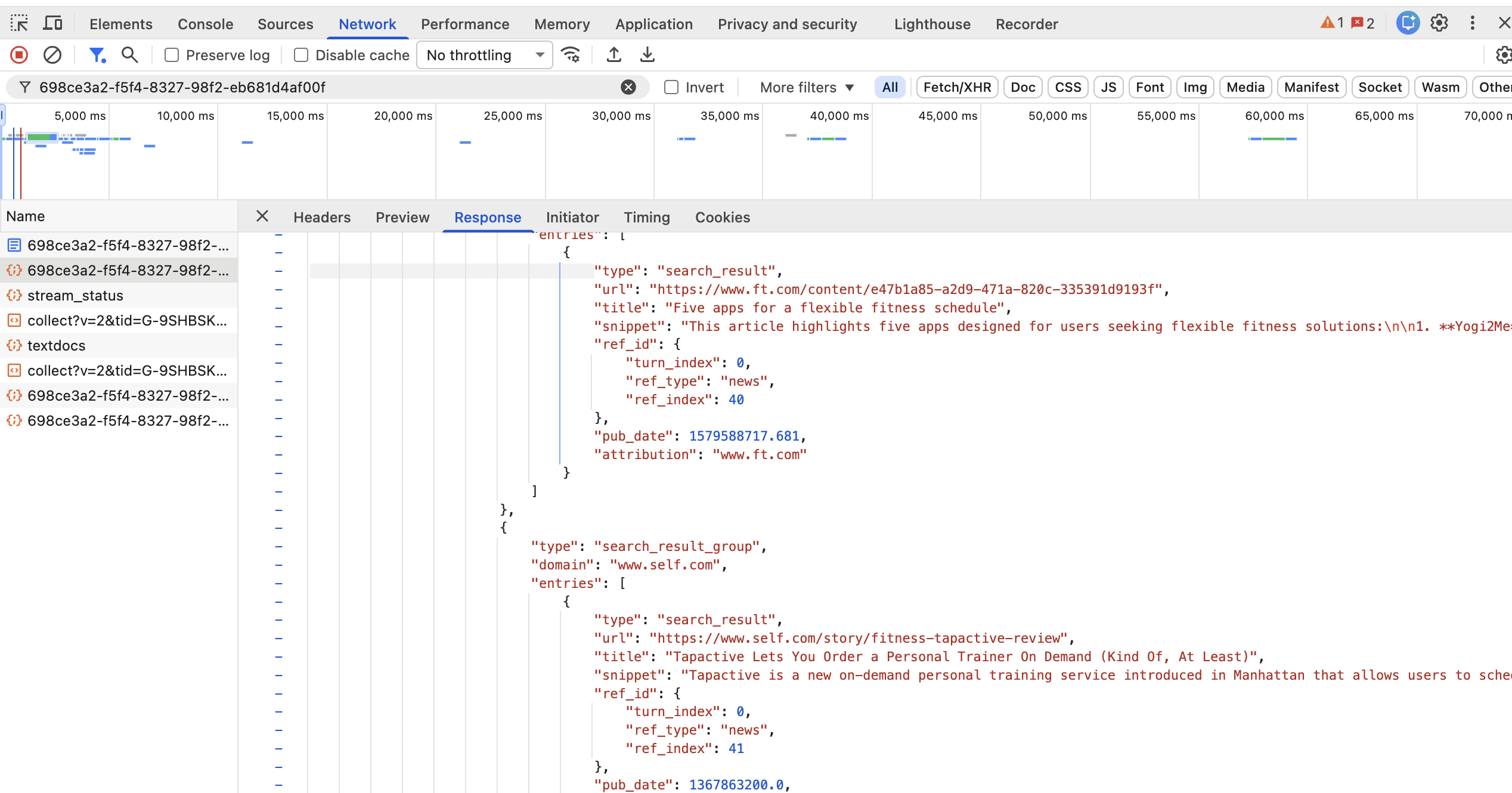
You're going to use the Unique ID that comes after the .com/c/unique-id-here
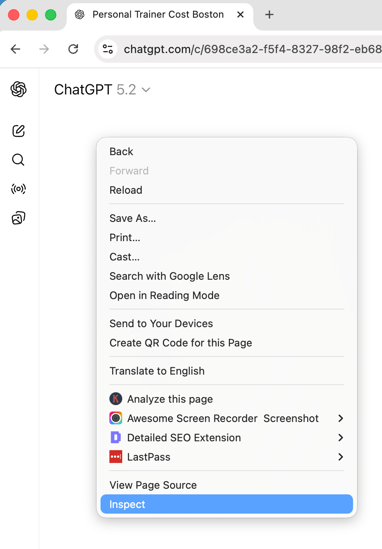
Step 2: Right Click and Click Inspect
Right click anywhere on the page and choose Inspect. This opens your browser Developer Tools.
Step 3: Click the Network Tab
In Developer Tools, click the Network tab. If you do not see any activity yet, keep going.
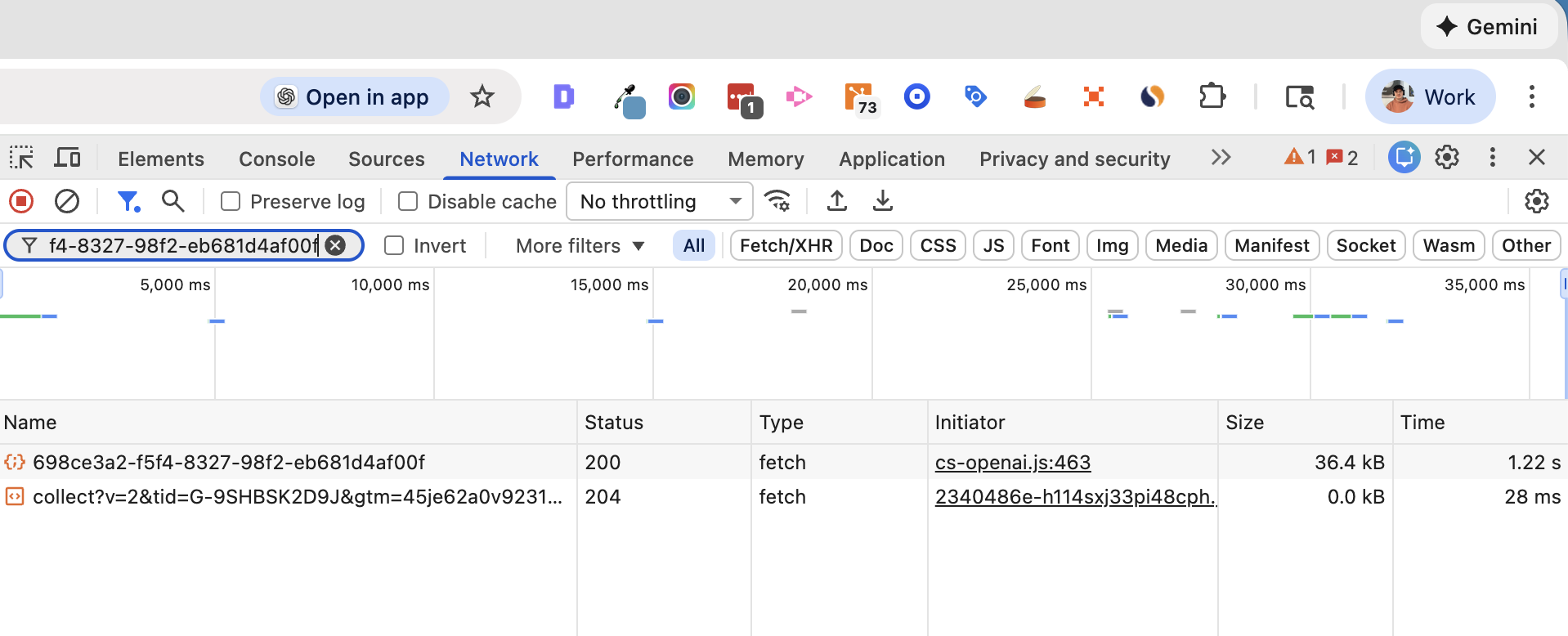
Put in the Unique ID (from the address bar) in the field
Step 4: Refresh the Page
Refresh the page with the Network tab open. This ensures the requests are captured while DevTools is active.
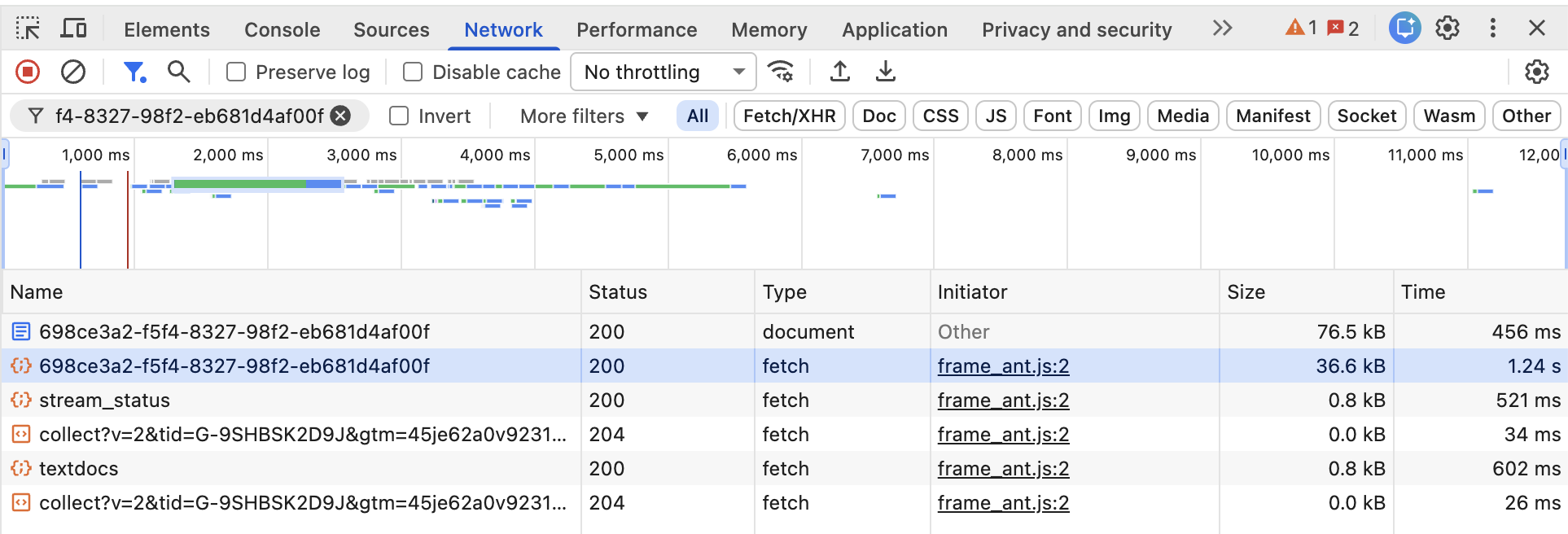
Step 5: Find the Fetch Request
In the Network list, look for a request that:
- Has Type set to fetch
- Is not labeled document
- Has a visible size (often tens of KB)
- Appears right after the browsing action or refresh
Click the fetch request. This is usually the request carrying the data.
Step 6: Click the Response Tab
After selecting the fetch request, a panel will open on the right. Click the Response tab to view the raw data.

Step 7: Search the Response for queries
Press Cmd + F (Mac) or Ctrl + F (Windows) and search for:
queries
If supported in your current UI version, you will see something like:
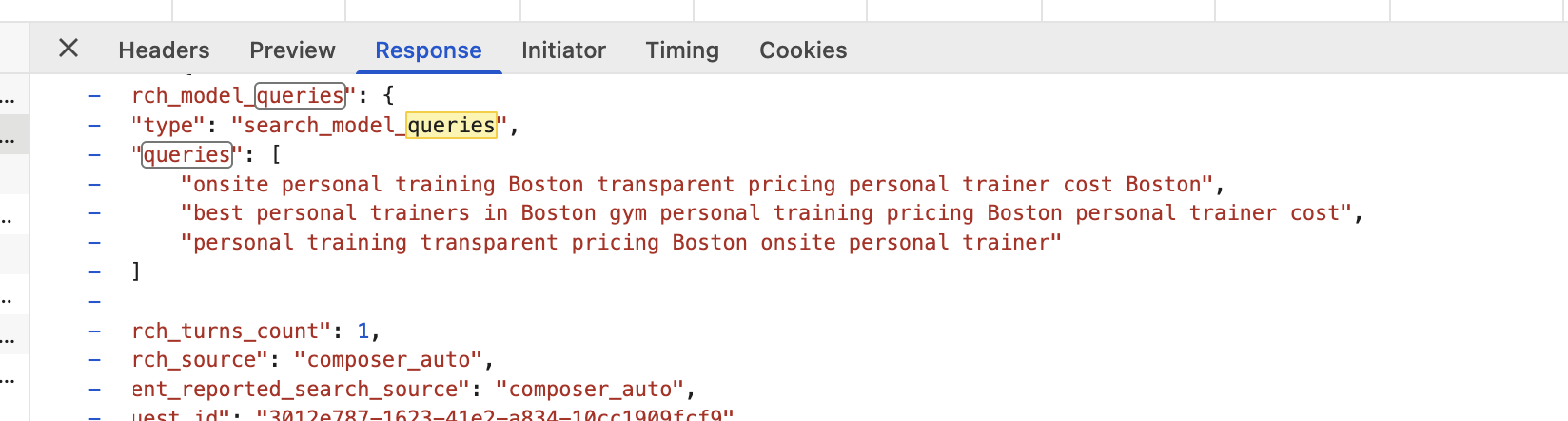
That phrase is what ChatGPT searched for based on the prompt you gave it.
What This Means for Your SEO Strategy
This is the important part. The phrase you uncover is often more specific than your original prompt. It may include comparison intent, feature language, pricing modifiers, and audience targeting.
For example, instead of searching:
Best CRM
It might search:
small business crm comparison features pricing
That is buyer intent language. That is also the language you should target with content.

How to Use This for AI SEO
Once you uncover the exact search language, you can build content and visibility around it. Here are the highest impact actions.
1) Create Content Targeting the Exact Phrase
If ChatGPT searched a phrase like:
small business crm comparison features pricing
Create an article that targets that phrase directly. Use it naturally in:
- Your page title
- Your H1 or a close variation
- Your introduction
- Your H2 and H3 headings
2) Optimize Your Title and Meta Description for the Same Intent
If the query includes comparison and pricing language, your title should match it. Example title:
Small Business CRM Comparison: Features & Pricing
Then write a meta description that clearly states what the page covers.
3) Add Sections That Make It Easy to Cite
AI models often pull from structured, scannable sections. Add:
- A features comparison table
- A pricing breakdown
- Best option for small teams
- Pros and cons
- A quick summary section near the top
4) Turn the Same Language Into YouTube Videos
YouTube is frequently cited in AI answers. Turn the exact query language into:
- A YouTube video title
- A screen recorded walkthrough
- A comparison review
Then embed the video on your page.
5) Find Pages Already Ranking for That Phrase and Get Mentioned
Search Google for the exact phrase you found in the queries field. Identify the pages that rank on page one. Then contact the author and ask to be included as a recommended option.
This combines traditional SEO with AI citation strategy.
Is Your Website in ChatGPT Training Data?
For most small and mid-sized businesses, the answer is probably no. That is why browsing matters. If ChatGPT is searching the web, your brand visibility depends on what it can find and trust online.

Does This Work for Every Prompt?
Not always. Some prompts are answered from memory. Others trigger browsing. To increase the chance of browsing, use prompts that are:
- Tool comparisons
- Best of lists
- Pricing questions
- Current year searches
- Local or time sensitive questions
Frequently Asked Questions
Does ChatGPT always search the web?
No. It only searches when browsing is enabled or when the model decides live information is needed.
Can you influence what ChatGPT recommends?
Yes. You can improve your chances by targeting the phrases it searches, creating structured comparison content, and increasing your brand mentions on trusted sites.
Is this different from traditional SEO?
It overlaps with traditional SEO, but it adds a focus on being cited and summarized by AI. That usually means clearer structure, stronger topical authority, and more comparison friendly formatting.
Final Thoughts
AI recommendation is not magic. When ChatGPT browses, it is searching the web and summarizing what it finds. If you can see what it searched for, you can align your content with real AI search language. That is one of the simplest ways to improve AI visibility.