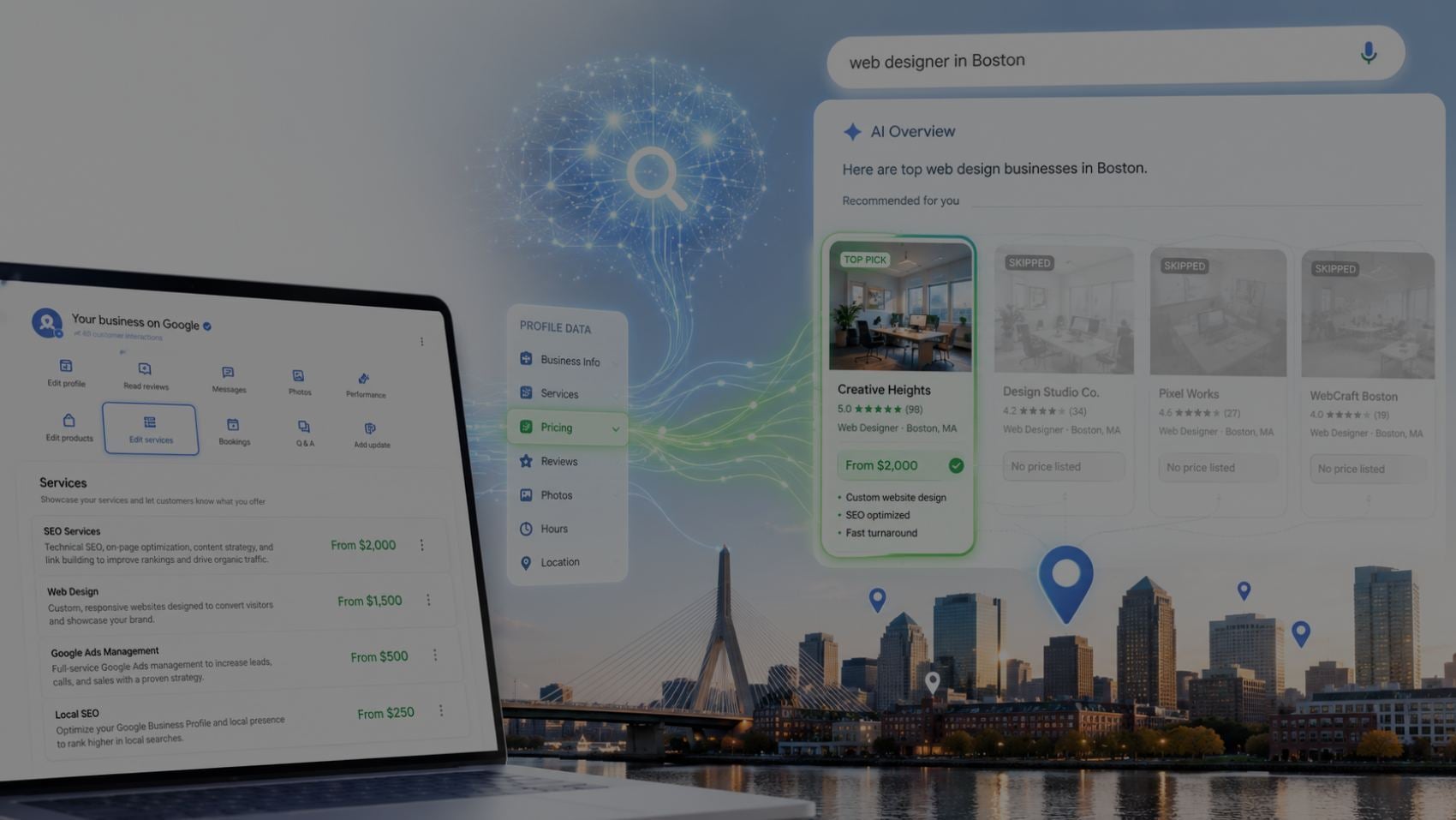
Google just changed how customers buy from local businesses.
AI is now comparing pricing for the user — not with the user.

TLDR / Key Summary
- Google added a Have AI check prices button inside Local Map Pack.
- AI can now call businesses, compare prices, then recommend a provider.
- If Google can’t find your pricing, it will pick another business instead.
- Transparent pricing will decide who gets leads over the next 12–24 months.
- Cost pages, pricing FAQs, schema markup, and consistent CSR language are now mandatory.
The New "Have AI Check Prices" Button
Google just pulled the future forward.
A new button has appeared inside the Google Business Profile Map Pack:
Have AI check prices

Tap it, and Google’s AI becomes the shopper.
It calls businesses, gathers pricing, compares options, and returns a ranked summary of who’s best — before the customer ever speaks to a human.
This isn’t UI decoration.
This is a new buying model!
And if you run a home-service business, this update should make you sit up straight.
Why this matters
AI-assisted search isn’t emerging — it’s here.
- OpenAI surpassed 180M active users
- Google estimates 1 in 3 searches will involve AI assistance
- 70% of consumers say they would use AI to compare services if it saves time
Google built exactly that:
A price-checking AI that chooses who the customer should call.
If Google can’t read your pricing, it will read your competitor’s instead.
How it works
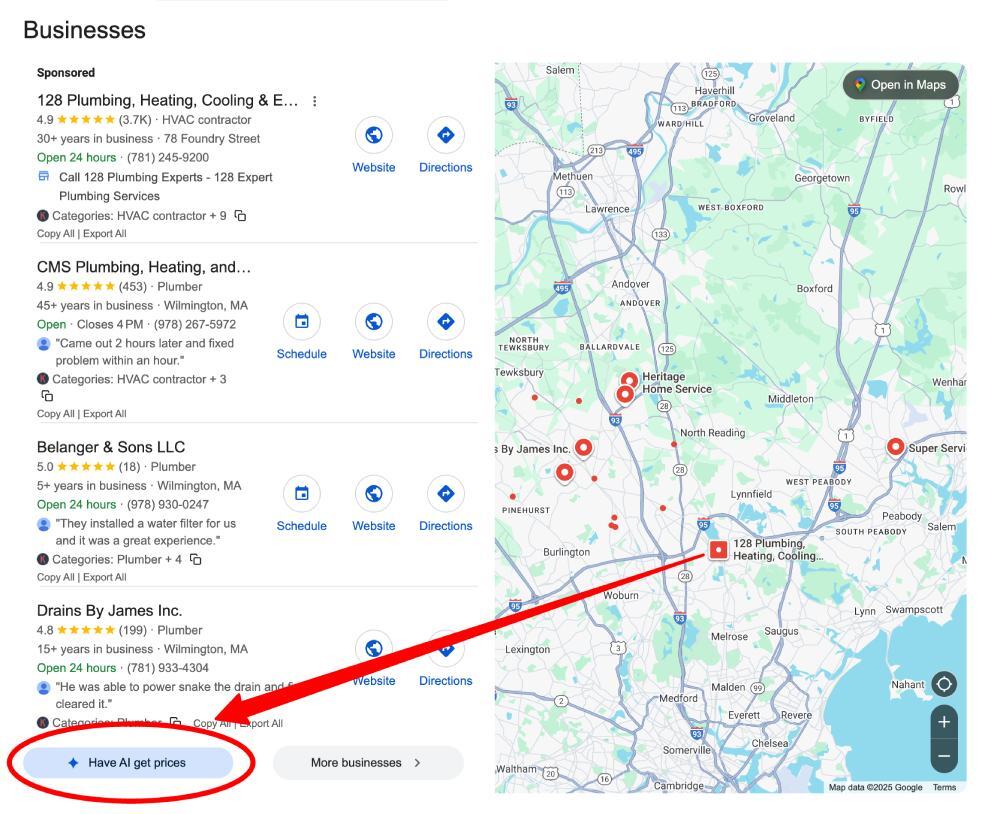
When you click on it, it will start a survey to help qualify you with the exact service that you're looking for, from basic questions about plumbing to more specific questions based on your previous answer:
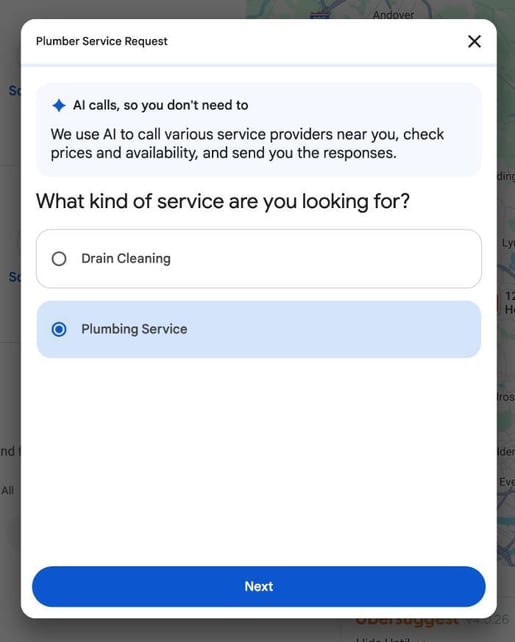
After answering 9 questions, I finally had the option to submit to Google:
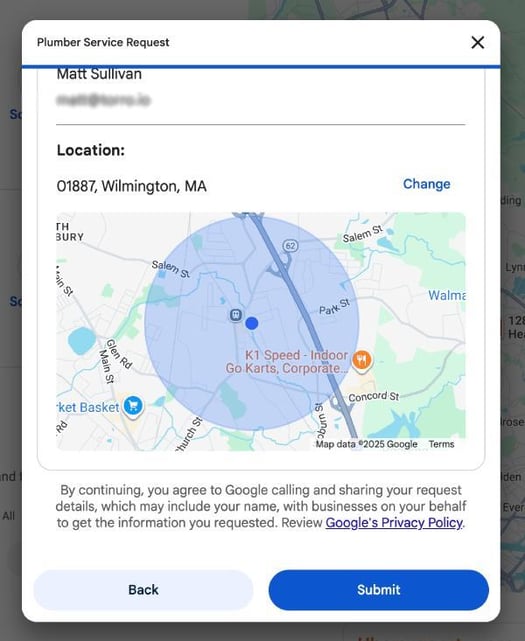
After submitting the original "Have AI check prices" button turning into a "Request Submitted" button:

Then I received this email from Google:
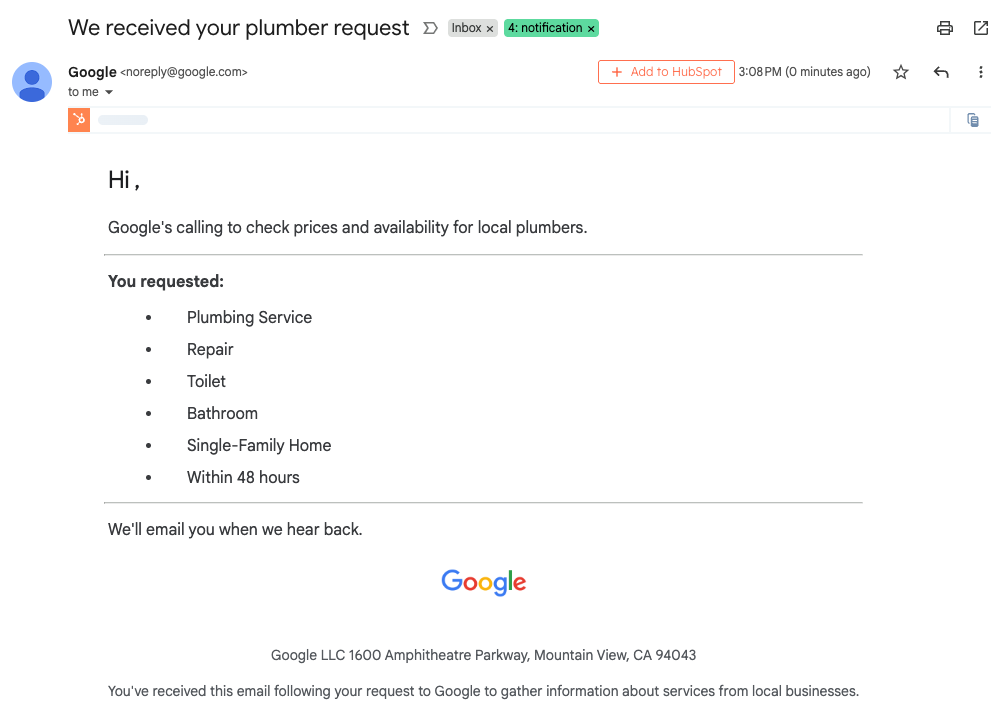
Now Google has started the "shopping" process with AI saying "Google's calling to check prices and availability for local plumbers." I haven't seen the follow-up email yet from this initial request, but as soon as I do, I will publish it here and we'll break down how they got to those recommendations.
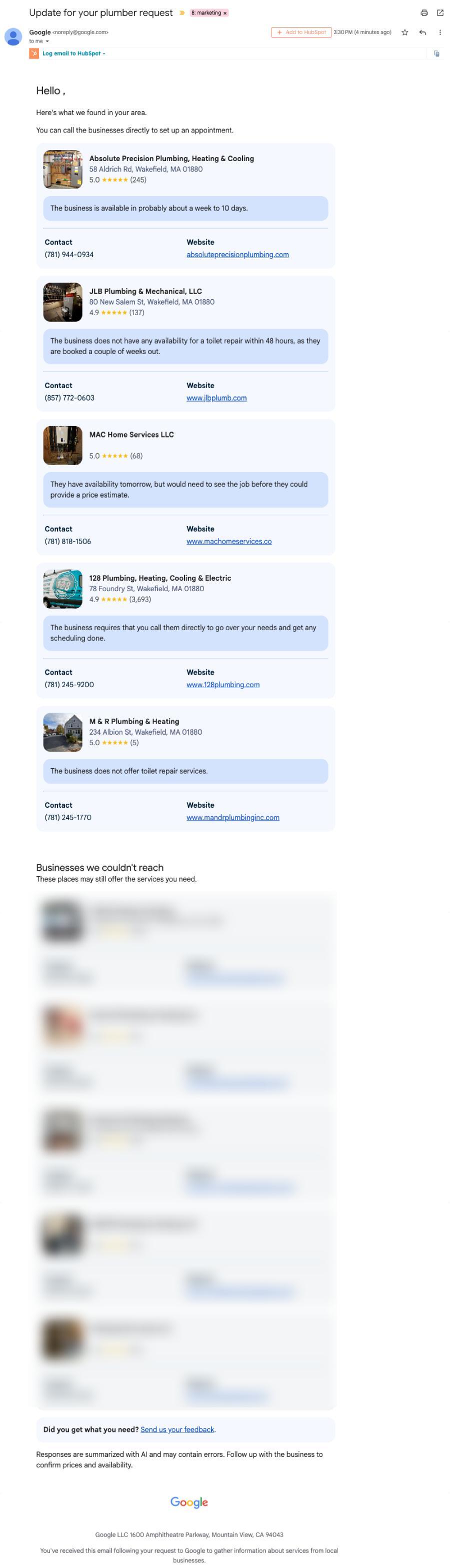
In 22 minutes, I received the following email from Google with their AI research with 5 businesses they were able to reach and provide very rough availability (and no actual pricing), and then it gave a bunch more "Businesses we couldn't reach. These places may still offer the services you need." It looked like this:
Pricing transparency has become a ranking signal
Not published officially, but obvious in where this leads.
- Transparent pricing = AI trust.
- AI trust = recommendations.
You don’t need to be the cheapest.
You need to be the easiest to understand.
If your website says $150–$400, your CSR says “depends, could be $950” and your GBP says “call for quote”
AI sees uncertainty.
Uncertainty loses.

What smart companies will do now
Use this like a checklist.
No fluff. No theory. Do this and win!
1. Build a real pricing page
Customers want to know what something costs before they commit. Google’s AI wants that too.
A pricing page doesn’t need exact numbers for every situation. Ranges work. Examples work. Even “most jobs fall between $X and $Y depending on Z” works.
What matters is clarity.
Quick hitters:
- Show real price ranges
- Include common scenarios
- Explain pricing factors simply
- Update it when pricing changes
If pricing lives only in your internal documents, AI can’t use it.
Publish it so Google can read it.
2. Create Cost of ___ in [City] articles
These articles rank. Fast.
They also hand Google structured pricing without friction.
Someone searching "Cost of water heater replacement in Boston" has buying intent.
They’re not browsing. They’re ready.
Your article becomes the resource Google extracts pricing from — and the page AI uses to compare you against competitors.
Quick hitters:
- Write one article per service
- Localize it with city or service-area modifiers
- Include example quotes and average job costs
- Add internal links to your service pages
This is how you feed AI the data it needs to choose you.
3. Add schema to pricing FAQs
AI reads structure better than paragraphs.
Schema turns answers into data, not text.
If your FAQ page says:
How much does drain cleaning cost? ($200–$450 depending on severity)
AI can extract that instantly.
No guessing. No interpretation.
Just clarity.
Quick hitters:
- Add FAQ schema to every pricing answer
- Keep answers short and scannable
- Use ranges to show flexibility
- Update structured data as pricing shifts
Schema is the difference between visible pricing and machine-readable pricing.

4. Train CSR teams on consistent price ranges (and prepare for AI calls)
A confused pricing conversation no longer just costs a sale.
It can cost your visibility.
If your website says $150–$300, and your CSR says “might be $800,” Google sees uncertainty.
And uncertainty loses.
Your intake team needs the same language, same price ranges, same confidence — because Google’s AI can analyze call transcripts the same way it reads your website.
But here’s the new twist most businesses aren’t ready for:
Prepare to receive and answer the AI call
One of the ways Google gathers pricing is by placing automated phone calls to your business line.
Yes, AI will literally call you for a quote.
When that happens, you need to be ready.
Quick hitters:
- Answer unknown calls: The AI identifies itself as calling from Google on behalf of a customer. Treat it like a real lead.
- Give a price instantly: Example: “Toilet repair starts at $99 diagnostic plus parts.” Clear > perfect.
- Keep your GBP phone number up to date: The call needs to reach a person — not voicemail.
- Train CSRs to quote ranges with confidence: No hesitation. No waffling. No panic.
- Review call recordings: Inconsistency is a ranking killer.
- You can opt out, but you’ll forfeit leads to competitors who don’t.
You’re not only talking to customers anymore.
You’re talking to algorithms!
And algorithms prefer clarity.
5. Align pricing everywhere
If your website says one thing, and your GBP says another, and your CSR says something different again...
AI decides you are unreliable.
Google lifts providers who are consistent.
It suppresses ones that require guesswork.
Quick hitters:
- Match website pricing to GBP pricing
- Check call scripts for alignment
- Update pricing in one place — then everywhere
- Keep numbers stable across ads, estimates, and content
One mismatch = lost confidence.
Lost confidence = lost recommendations.
Real example
We helped a medical billing company hit Top 3 Map Pack last year.
Competitors hid pricing behind book a call.
We did the opposite:
- Pricing FAQs
- Schema
- CSR consistency
Top 3 within 90 days
Not cheaper. Clearer.
The SEO Shift
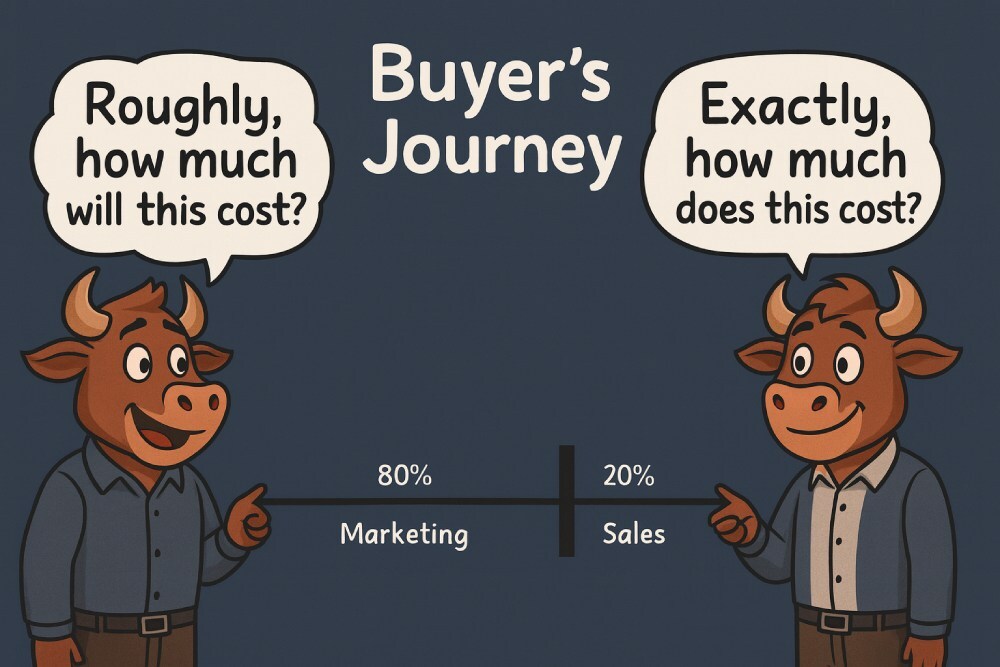
AI is removing the middle of the buying journey.
People used to:
- Search
- Click
- Visit
- Call
- Wait
Now it’s closer to:
- Search
- Compare
- Choose
No form fills.
No phone tag.
No back-and-forth.
This is why Local SEO is changing form. It’s no longer only about being seen. It’s about being understood.
If AI can’t interpret you, it can’t recommend you.
Visibility got you into the room.
Interpretability gets you picked.
What to do next
- Publish pricing
- Add cost guides
- Apply schema
- Train staff
- Keep pricing consistent
- Remove ambiguity everywhere
AI is doing the shopping now.
Make sure it finds your price.