TLDR: Google's AI now pulls pricing straight from your Google Business Profile to decide which businesses to recommend. If your services have no price listed, you get skipped. The fix is free and takes about two minutes. Open your profile, go to Edit services, click into a service, and add a price. You don't need an exact number. The "From" option (like "From $250") is enough to keep you in the running.
Key Takeaways
- Google's AI surfaces business details, including prices, before a customer ever clicks a website.
- A complete profile signals trust. An incomplete one gets deprioritized.
- You can add a starting price with the "From" option, so you never have to commit to a fixed number.
- Pairing each price with a strong service description gives the AI more to work with.
- This is one of the fastest, lowest-effort wins available to a local business right now.
What Is Happening With Google, AI, and Local Search
Search has changed. For years, Google showed a list of links and let people click through to find what they needed. Now Google increasingly answers the question itself with an AI-generated summary that recommends specific businesses right on the results page.
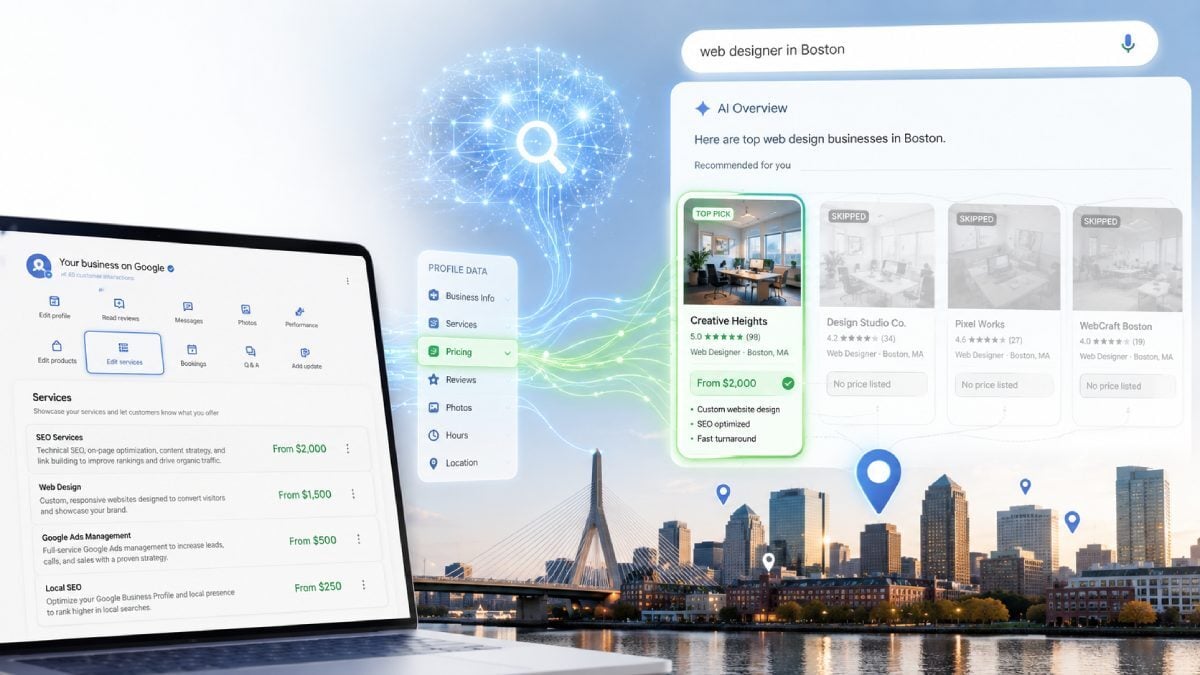
To build those recommendations, the AI reads structured information from your Google Business Profile. That includes your category, your hours, your reviews, your photos, and your services. It also includes the price of each service.
Here is the part most business owners miss. When someone searches for something like "affordable plumber near me" or "web designer in Boston," the AI looks for businesses that have the data to answer that query. If you have prices listed, you are a candidate. If you have nothing listed, the AI has less reason to feature you, so it keeps scanning your competitors instead.
This is not a small shift. Google has reported that businesses with complete profiles are significantly more likely to be considered reputable by consumers and are far more likely to earn clicks and direction requests. As AI summaries take over more of the results page, profile completeness moves from "nice to have" to "the thing that decides whether you appear at all."
Why Pricing Specifically Matters
There are two reasons price is one of the most important fields to fill in.
Pricing Is a Trust Signal
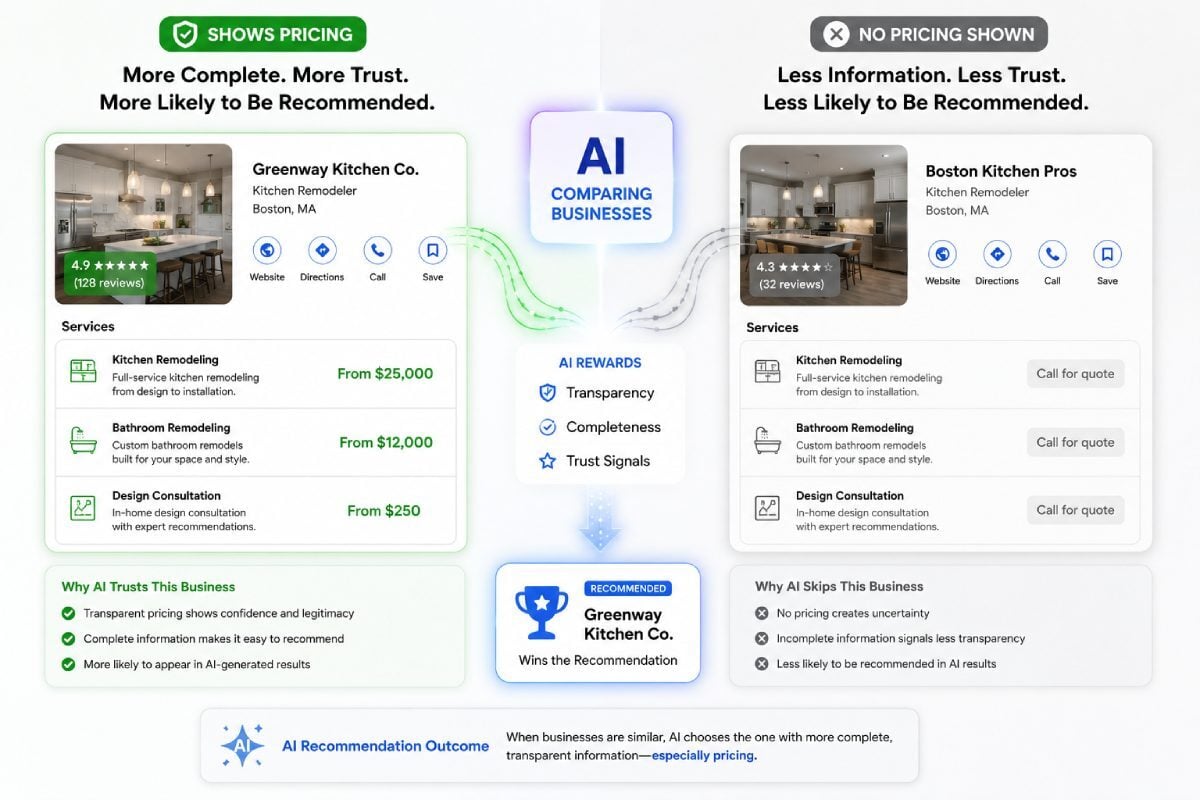
AI systems are built to reward signals of legitimacy. A business that publishes its pricing reads as real, established, and confident. A business that hides everything behind "call for a quote" reads as less certain. When the AI has to choose between two similar companies, the one with more complete and transparent information tends to win.
Pricing Pre-Qualifies Your Leads
A starting price does quiet work for you around the clock. It filters out people who were never going to be a fit and brings in people who already accept your range. That means fewer wasted quotes, fewer "that's way more than I expected" conversations, and more inquiries from buyers who are closer to ready.
There is also a hidden cost to staying silent. Plenty of people will not pick up the phone just to find out if they can afford you. They move on. A visible "from" price captures demand you would otherwise never hear about.
What About the "From" Option?
This is the question every business owner asks. "I don't want to lock myself into a number, and my jobs vary too much to price them all the same."
Google solved this for you. When you add a price, you get to choose how it displays. The "From" option lets you set a floor without committing to a fixed figure. "From $250" tells the customer and the AI that you are real and ready, while leaving you full room to scope the actual job.
You are not publishing a quote. You are publishing a starting point. That distinction is what makes this safe to do.
How to Add Pricing to Your Google Business Profile
Here is the full walkthrough. The whole thing takes about two minutes per service.
Step 1: Google Your Own Business Name
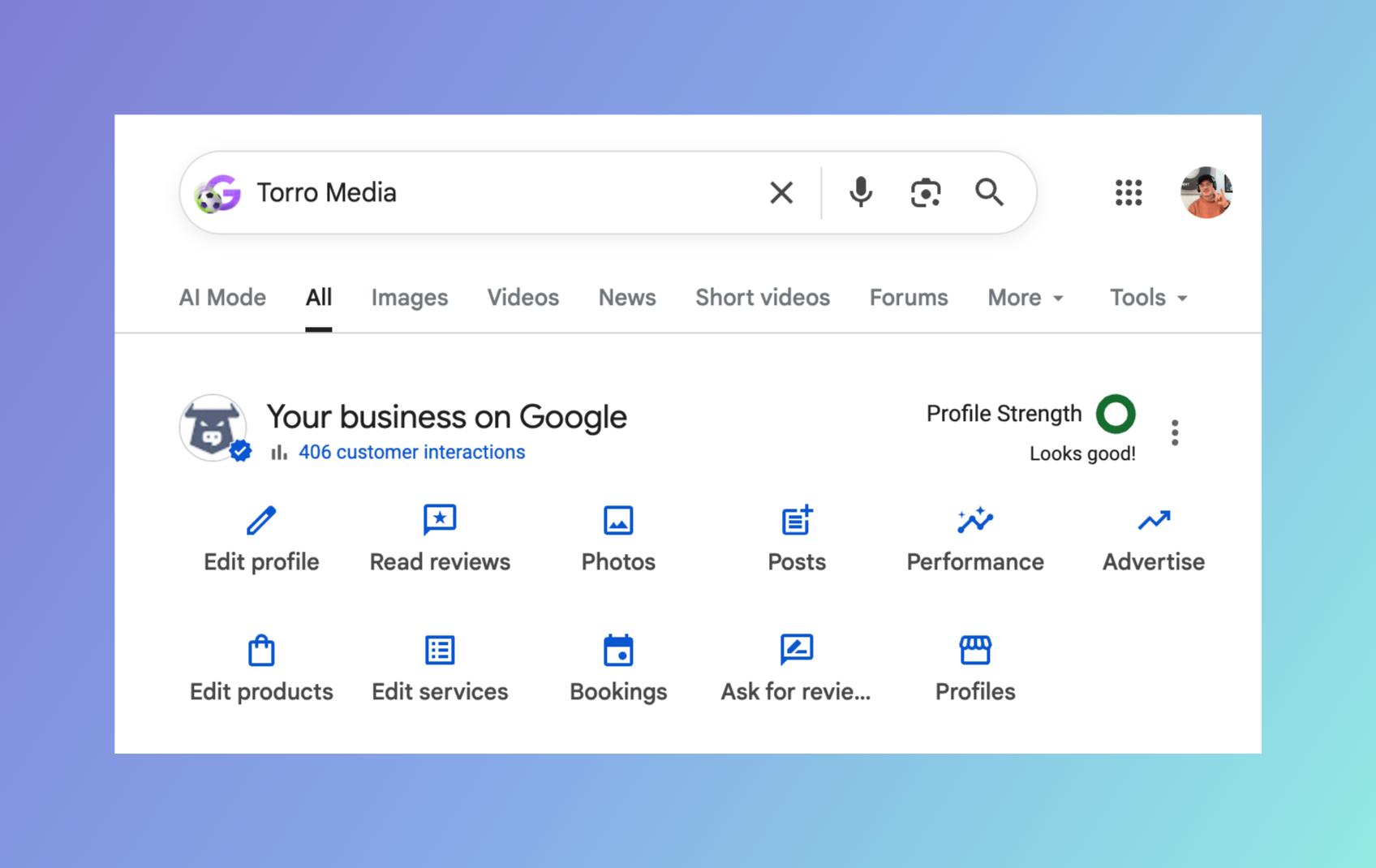
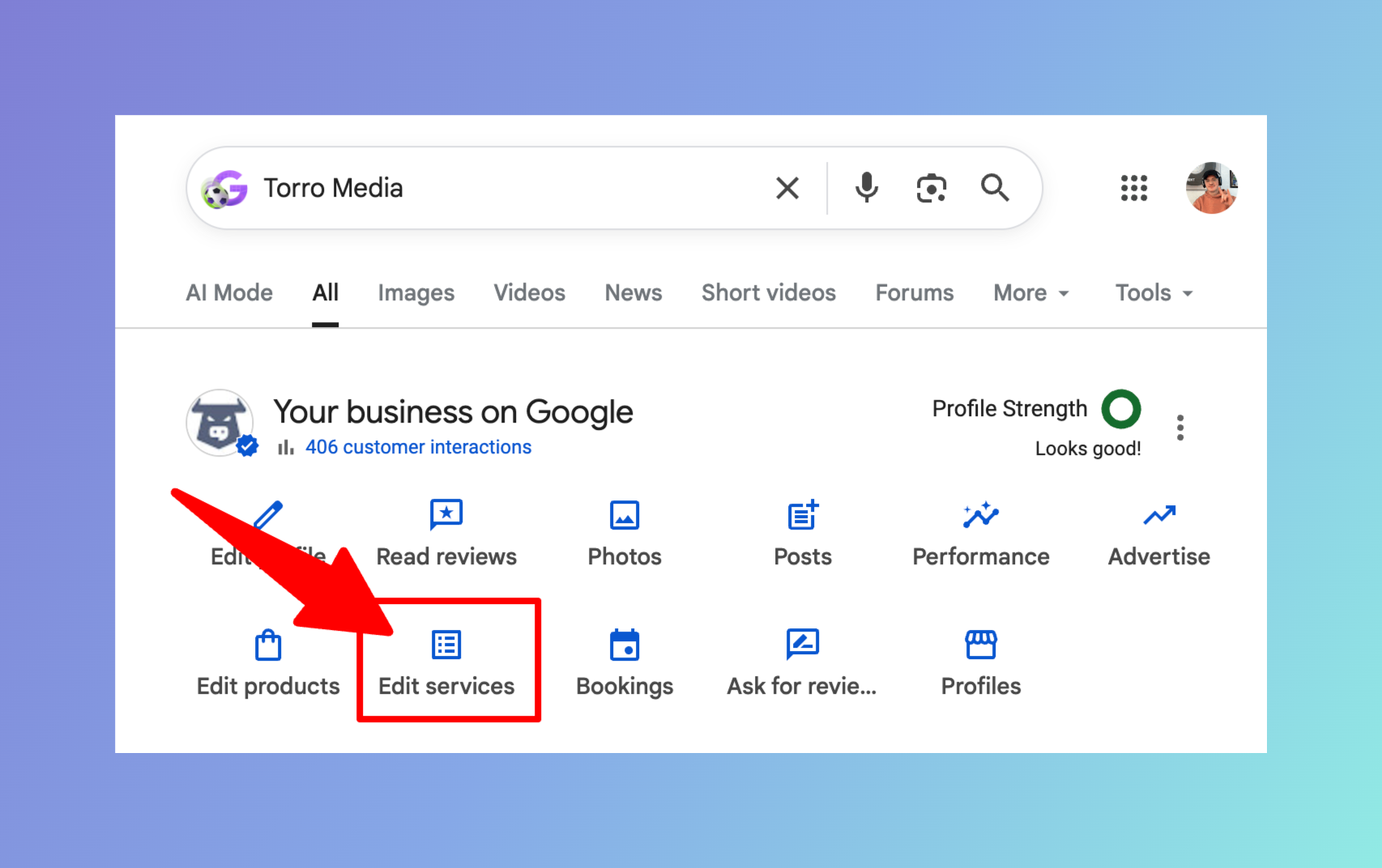
Make sure you are logged into the Google account that manages your profile. Then search your business name. Your Business Profile dashboard appears right at the top of the results, with the heading "Your business on Google."
Step 2: Click "Edit Services"
In the row of options, find and click "Edit services." It sits in the second row of buttons, next to "Edit products."
Step 3: Click Into an Individual Service
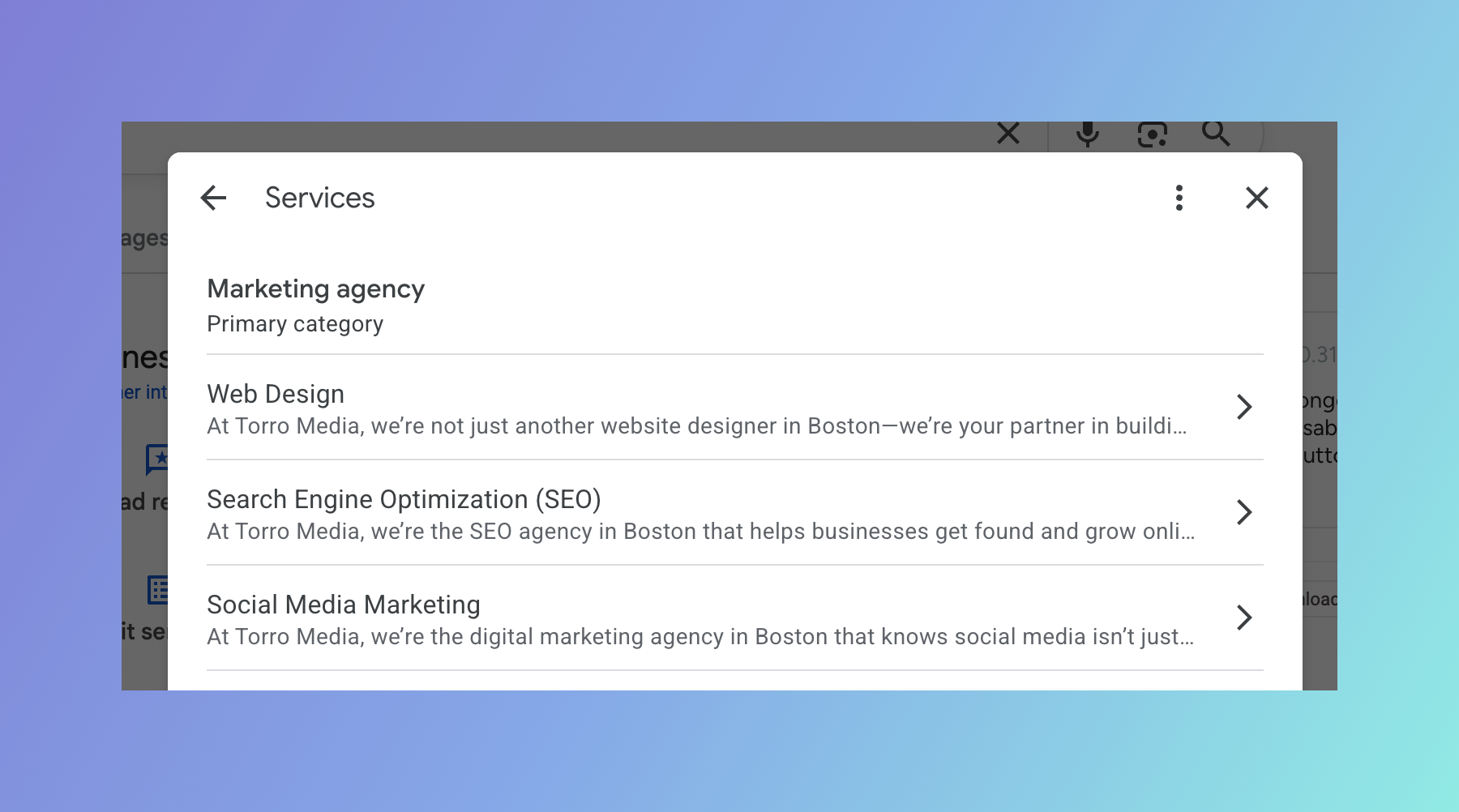
You will see a list of all your services, grouped under your primary category. Click any service you want to add a price to. We will use SEO as the example here.
Step 4: Open the Price Dropdown
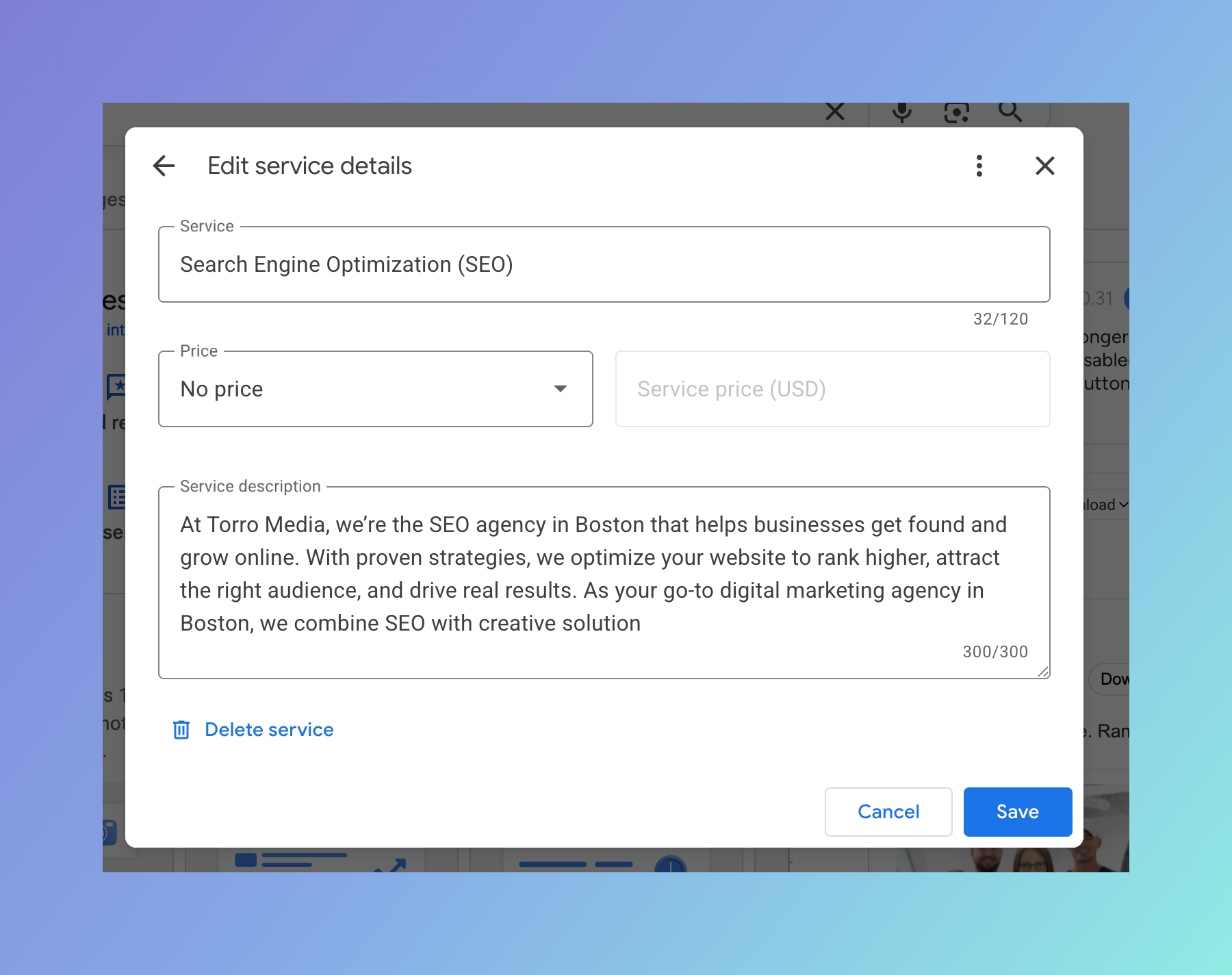
Inside the service, you will see a Price field that currently says "No price." This is the field doing the damage. Click the dropdown to change it.
Step 5: Choose "From"
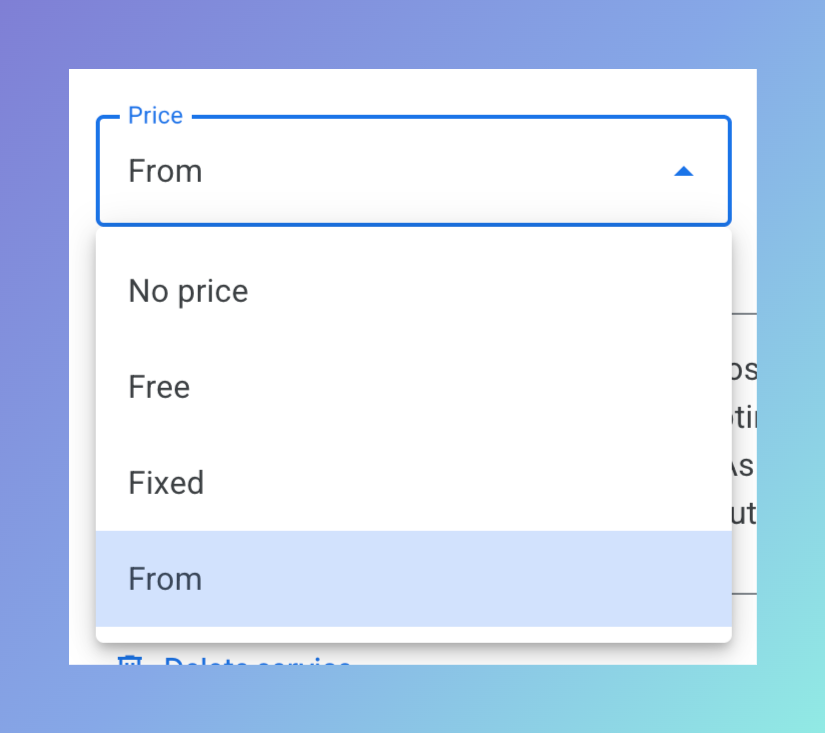
The dropdown gives you four options: No price, Free, Fixed, and From. Select "From." This is the one that lets you set a starting price without committing to a fixed amount.
Step 6: Enter Your Starting Price and Save
Type your starting number into the Service price field. In this example we used 2000. Then click Save. That's it. Your service now shows a price that both customers and Google's AI can see.
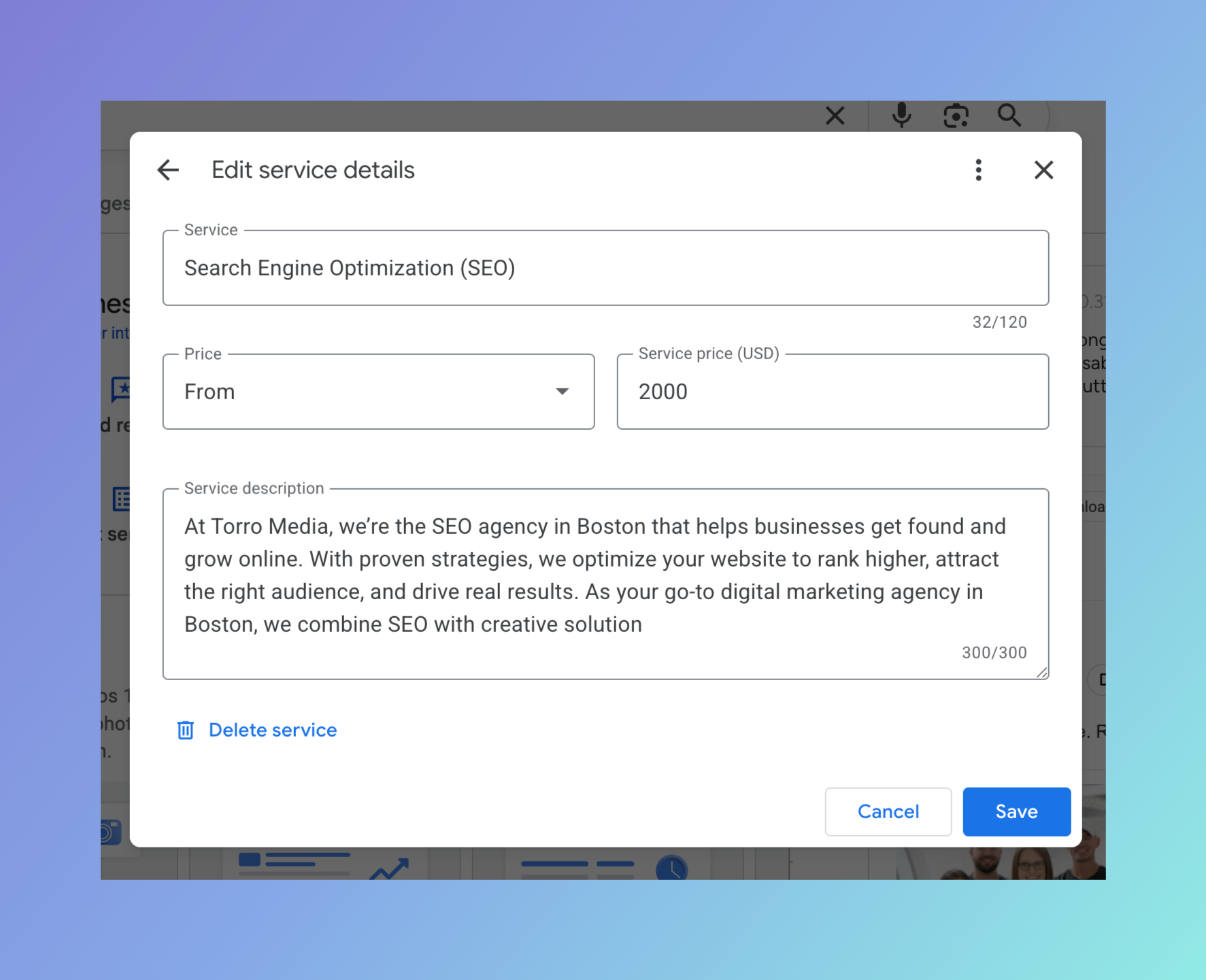
Repeat this for every service where a starting price makes sense. The more complete your profile, the stronger your position.
Don't Stop at the Price. Use the Description Field Too
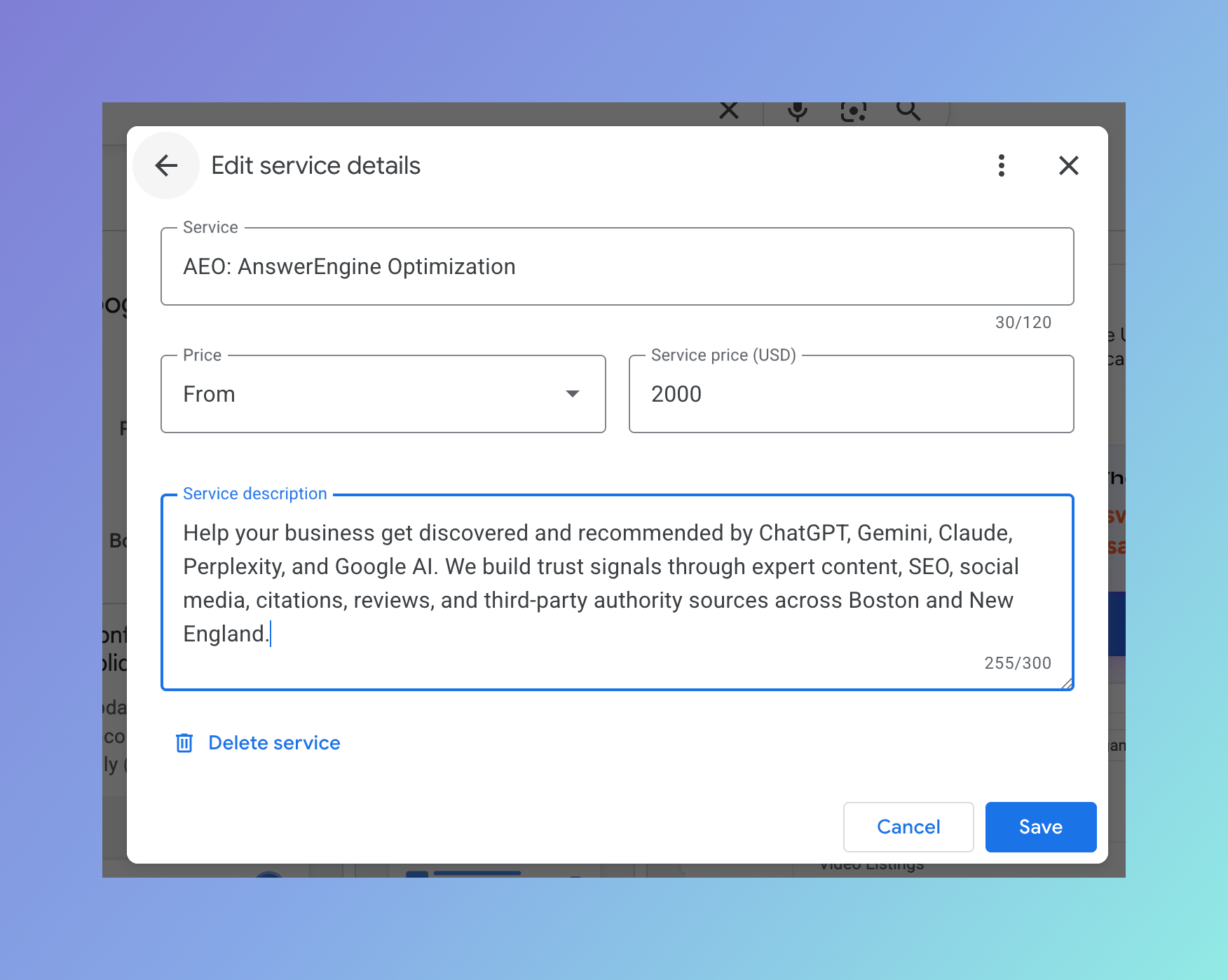
While you are in each service, look at the Service description field. You get up to 300 characters. Use them.
A price plus a real description is far more powerful than a price alone. The description is more text for the AI to read and understand, and it is your chance to say what the service actually includes and why someone should choose you. Write it in plain, specific language. Mention your city or service area naturally. Skip the filler.
A Quick Word of Caution
The "From" option is the right move for most services, but it is not universal. For highly custom, high-variability work, a starting price can anchor people too low or create confusion about what they are actually getting.
Use a starting price where a floor is honest and useful. For the truly custom work, you can still lean on a strong description to carry the trust signal. The goal is completeness and clarity, not a number for the sake of a number.
The Bottom Line
Google's AI is already showing customers prices. If yours are missing, you are handing those customers to competitors who filled in the blank. Adding a starting price is free, it takes minutes, and it works on two fronts at once. It feeds traditional local search and it feeds the new AI layer that is quietly deciding who gets recommended.
This is your one thing to do today. Open your profile, add your prices, and stay in the game.
Need help getting your Google Business Profile and your whole local presence ready for AI search? That's what we do at Torro Media. Get in touch.